
AMX HARMAN
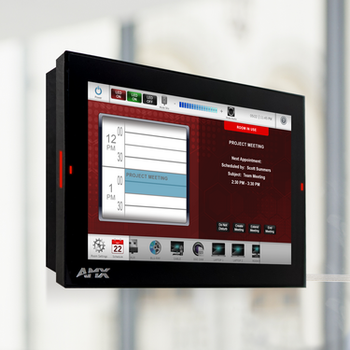
MD-702 7” Modero G5 Wall Mount Touch Panel
- SKU:
- FG5969-55BL
- UPC:
- 718878004210
- Availability:
- Ships based on supplier availability.
- Shipping:
- Calculated at Checkout


Description
Modero G5 7” Wall Mount Touch Panel Overview
The redesigned Modero G5 7” Wall Mount Touch Panel delivers a high-end user interface at a cost-effective level suitable for virtually any environment. Engineered for dedicated room control or scheduling applications, this sleek and modern touch panel offers smooth animations and responsive transitions powered by a high-performance Quad-Core processor. Built-in web browsing and document viewing capabilities allow users to conveniently access real-time information during meetings, classes, or presentations.
Designed with usability in mind, Modero G5 features edge-to-edge capacitive glass with multi-touch functionality for intuitive interaction. Its refined appearance enhances even the most advanced corporate spaces and residential interiors, while a range of mounting options provides added security and installation flexibility.
Common Applications
Modero G5 is ideal for boardrooms, conference rooms, and auditoriums where a premium control interface is required to manage multiple functions simultaneously without visual intrusion.
In higher education environments, it is well suited for lecture halls, auditoriums, performing arts theaters, and boardrooms that demand advanced control capabilities.
For residential use, Modero G5 integrates seamlessly into kitchens, bedrooms, and home offices, enabling centralized control of home systems.
The MD-702 model can also serve as a scheduling panel for meeting rooms and auditoriums.
All Modero panels are excellent choices for reception areas and common spaces, where they can display master calendars alongside live web-based content such as weather updates and financial information.
Key Features
Flexible Configuration – Easily convert a Modero G5 control panel into an Acendo Book scheduling interface using a built-in configuration tool, with no programming or additional hardware required.
G5 Graphics Engine with Quad-Core Processing – Industry-leading performance delivers smooth gestures, swipes, dynamic reordering, and enhanced animations with fast transitions for an exceptional user experience.
Capacitive Touch Screen – Provides fast, accurate touch response while improving durability and resistance to smudges and scratches.
Simplified Enterprise Updates – Enables centralized deployment and updating of touch panel files and firmware from a network URL, streamlining organization-wide maintenance.
Built-in Web Browser, Document Viewers, and Enzo Sharing – Simplifies access, previewing, and presentation of real-time content and documents from the web, USB devices, or cloud storage before sending them directly to Enzo.
Adjustable Security Modes – Allows administrators to select high-security or customized settings to control access, networking, and communication.
Wide Viewing Angles with IPS Technology – Ensures excellent visibility and accurate color reproduction from virtually any viewing angle.
Enhanced User Experience – Supports intuitive interaction through gesturing, swiping, dynamic reordering, and smooth animation effects.
Versatile Mounting Options – Offers a wide selection of mounting solutions to accommodate various installation requirements.
Dynamic Data Listview Buttons – Displays real-time data such as phonebooks, call logs, or RSS feeds, enabling users to scroll, search, and select information efficiently.
Specifications
Display Size (Landscape, W × H): 7.3" × 4.8" (186 mm × 122 mm), 8.8" (222 mm) diagonal
Viewable Area (Landscape, W × H): 6.05" × 3.54" (154 mm × 90 mm), 7.0" (178 mm) diagonal
Resolution: 1280 × 800
Touch Overlay: Capacitive
FG Number: FG5969-55BL
Related Products

AMX HARMAN
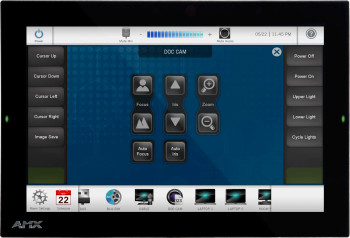
MD-1002 10.1” Modero G5 Wall Mount Touch Panel


AMX HARMAN
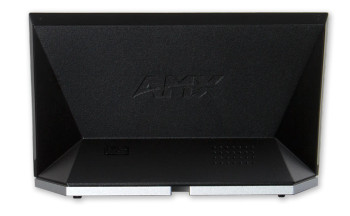
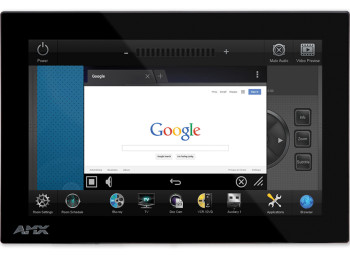
MXD-701 7" Modero X® Series G5 Wall Mount Touch Panel

AMX HARMAN
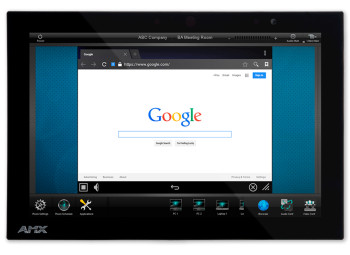
MXD-1001 10.1" Modero X® Series G5 Wall Mount Touch Panel
AMX HARMAN